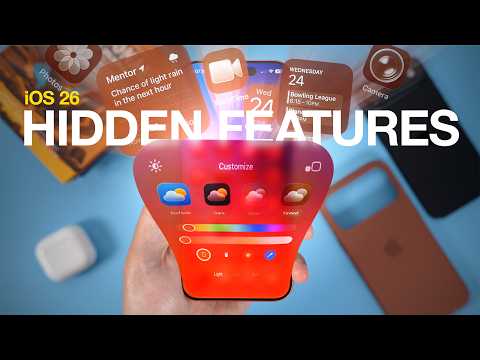
iOS 26 is packed with under-the-radar features designed to boost usability and personalization on your iPhone. These updates aim to streamline your experience and tailor it to your specific needs. Let’s dive into the most impactful changes.
Enhanced Gesture Navigation
iOS 26 revamps iPhone navigation with more intuitive gesture controls. Now, swipe from any part of the screen to go back, simplifying one-handed use, especially on larger iPhones. This change offers a smoother and more efficient way to interact with your device.
Advanced Audio Management
iOS 26 provides refined audio control with greater flexibility. Route audio to your AirPods even when connecting to CarPlay, maintaining privacy during calls or uninterrupted listening. CarPlay’s enhanced settings allow customized sound distribution for a more personalized experience.
Effortless Custom Ringtone Creation
Creating custom ringtones is now easier than ever. Generate personalized ringtones directly from MP3 or M4A files in the Files app, eliminating third-party apps. Assign unique tones to contacts or notifications in a few simple steps.
Default App Selection for File Types
Manage files more intuitively by assigning default apps for specific file types. Set PDFs to always open in your preferred reader or choose a favorite app for image editing. This streamlines workflows and ensures a consistent experience.
Drafts Folder in Messages
The Messages app now includes a dedicated drafts folder, accessible through the filters menu. Never lose unsent messages; revisit and complete them at your convenience. This feature is perfect for managing multiple conversations or crafting detailed messages.
Missed Call Reminder Functionality
Effectively manage missed calls using the new callback reminder feature. Swipe on a missed call to set a reminder to return it later. Stay organized and maintain strong communication habits with this simple tool.
Customizable Icon Tints
Personalize your iPhone by matching app icon colors to your iPhone or MagSafe case. Create a cohesive aesthetic, expressing your unique style with a coordinated design.
Photos App Enhancements
The Photos app introduces functional upgrades. View event details, like concert information or sports scores, directly from relevant photos. Video search results now display thumbnails highlighting specific frames related to your search term.
Emoji Customization with Genoji
iOS 26 unveils Genoji, a feature enabling custom emoji creation by combining elements from existing ones. Personalize your messages and add a creative touch to conversations with endless possibilities.